


Last updated on February 23rd, 2026
Creating an online store is the need of the hour for a business today. Be it that you are a startup with three products or a legacy brand with thousands, the digital shelf matters. And when it comes to choosing a strong platform, BigCommerce continues to stand quite tall. BigCommerce has around 41,000 active online stores in 2025, and supports over 130,000 total merchants worldwide. This shows its presence as a significant e-commerce platform.
Many global brands have trusted BigCommerce for its flexibility and power. But you do not need to be a big business to use it. It serves small industries well too. You only need to get the right guidance from a BigCommerce Agency.
This blog tells you about the process step by step. It gives small insights that can make a big difference.
Table Of Contents
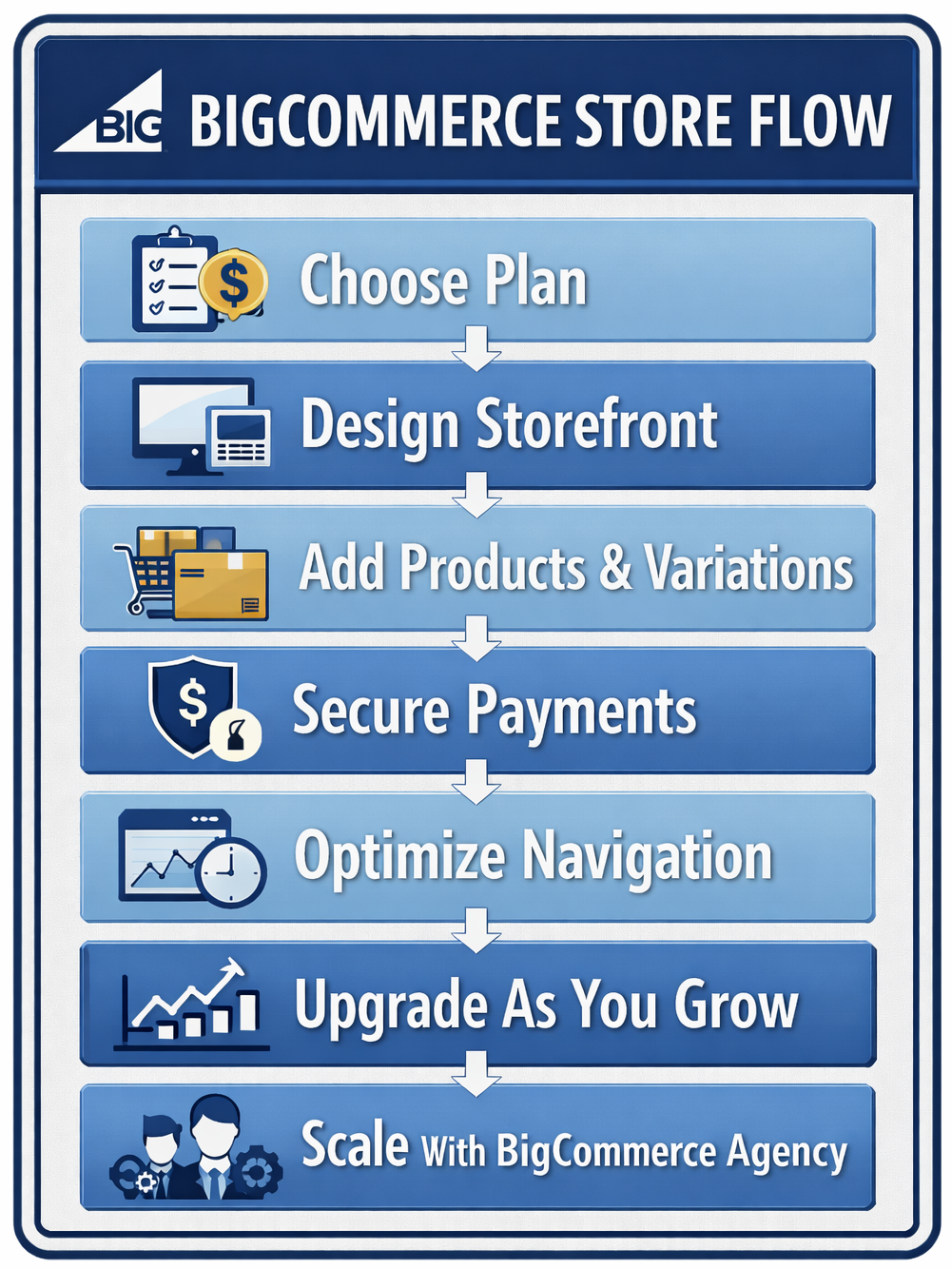
Step 1: Getting Started with BigCommerce Agency Support
Step 2: Creating a Product Catalog with a BigCommerce Developer
Step 3: Setting Up Payment Options Securely
Step 4: Customizing Your Storefront with a BigCommerce eCommerce Agency
Step 5: Upgrading Your Website Plan Strategically
Step 6: Adding a Domain and Other Options
Step 1: Getting Started with BigCommerce Agency Support
BigCommerce makes starting an online store surprisingly simple. There is a clean dashboard and structured tools. The onboarding is guided. But simple does not mean basic.
Pick a Plan for Your Budget
BigCommerce offers multiple pricing tiers. Each plan includes different features. Some support larger catalogs while others have advanced marketing tools.
Before selecting a plan, ask yourself:
- How many products will you sell?
- Do you need advanced reporting?
- Are you selling internationally?
- Will you need B2B features?
A BigCommerce agency can help you compare plans carefully. They help you choose a plan only after they understand what you need today and what you might need tomorrow. Choosing the wrong plan can slow growth. For growth momentum, you have to choose the right one.
Select Personalized Templates
With BigCommerce, you get professional templates. They are modern, responsive, and built for speed. However, if you want a brand that feels distinct, consider working with a BigCommerce eCommerce agency.
A custom design:
- Reflects your brand voice
- Improves navigation
- Enhances user experience
- Increases trust
Customers notice design. They stay longer on sites that feel polished. They leave quickly when things look careless. A BigCommerce developer can create a storefront that looks organized and smooth.

Step 2: Creating A Product Catalog With A BigCommerce Developer
Your product catalog is your digital showroom. If it feels cluttered, customers feel confused.
When customers understand the structure, they feel confident enough to purchase.
1. Organize Products Clearly
Create logical categories, subcategories, and filters.
This helps:
- Customers find products faster
- Improve SEO rankings
- Reduce bounce rate
Clear categorization plays on the psychology of the customer, making them linger at the site.
2. Include Photographs
Images act like persuaders.
Use:
- High-resolution images
- Multiple angles
- Close-up details
- Lifestyle shots
Customers cannot touch your product online. So your images must do the storytelling. A BigCommerce eCommerce developer can optimize images so they load fast without losing quality. Speed and clarity must work together.
3. Create Product Alternatives
Variations give the customers a choice. You can have various colors, sizes, materials, and bundles. BigCommerce allows you to create flexible product options. This is a requirement for fashion, electronics, accessories, and even B2B wholesale sectors.
4. Create Product Kits
Bundling products increases average order value.
For example:
- Starter packs
- Seasonal bundles
- Limited edition kits
A BigCommerce agency can design bundles that improve profitability without overwhelming customers.
Step 3: Setting Up Payment Options Securely
Customers want safety, especially when money is involved.
1. Secure Payment Method
BigCommerce integrates with secure payment gateways like PayPal and Stripe. These systems are reliable and widely trusted.
Security features include:
- PCI compliance
- Fraud detection
- Encrypted transactions
A BigCommerce eCommerce agency ensures that payment integration is smooth and fully secure. When customers feel safe, they complete purchases.
2. Multiple Payment Methods
In 2026, customers expect flexibility.
Offer:
- Credit and debit cards
- Digital wallets
- Buy now, pay later options
- International currency support
The smoother the checkout, the fewer abandoned carts there will be. A BigCommerce developer can also optimize checkout design to reduce steps. They can allow the process to be completed in fewer clicks, so that there are fewer distractions.
Step 4: Customizing Your Storefront With a BigCommerce eCommerce Agency
For your brand to have its own unique appeal, there has to be customization.
1. Use Customization Tools
BigCommerce provides powerful tools to modify:
- Homepage layouts
- Banners
- Promotional sections
- Footer content
Add:
- About Us page
- Contact page
- FAQ section
- Shipping policies
These pages build credibility. Customers want to know who they are buying from.
2. Create a Navigation Menu
Navigation should feel natural. The customer should not have to put in a lot of thought.
A BigCommerce agency can design:
- Mega menus
- Smart search bars
- Filter systems
- Breadcrumb navigation
When customers move effortlessly, they buy more.
3. Other Choices
Small changes matter:
- Logo placement
- Color palette
- Typography
- Icon style
Consistency builds memory, and memory builds brand recall. A BigCommerce eCommerce developer ensures that all design elements remain responsive across devices. Mobile commerce continues to dominate in 2026. Your store must feel perfect on every screen.
Step 5: Upgrading Your Website Plan Strategically
Growth changes needs. Your current plan might feel sufficient today, but it might not tomorrow.
1. Upgrade Website Plan
Upgrading unlocks:
- Advanced analytics
- Abandoned cart recovery
- Customer segmentation
- Gift vouchers
- Multi-storefront capabilities
If your store traffic increases significantly, upgrading ensures performance stability.
A BigCommerce agency can analyze store data and suggest the right timing for an upgrade.
2. Select a Plan Within Your Budget
Budget always has an important role to play in business decisions..
Compare:
- Monthly costs
- Transaction fees
- Feature limits
Sometimes paying slightly more unlocks features that significantly boost revenue.
3. Choose a Plan with Advanced Features
Advanced tools allow:
- Personalized marketing
- B2B wholesale pricing
- Customer group discounts
These features improve user experience and conversion rates. Hence, upgrading must be seen as an investment.
Step 6: Adding a Domain and Other Options
Your domain is your digital address.
1. Custom Domain
A custom domain improves brand recognition. It makes your business easier to find. BigCommerce allows seamless domain integration.
2. Improved SSL
SSL protects customer data. BigCommerce provides secure SSL certificates. A BigCommerce developer ensures correct configuration to avoid security warnings.
3. Business Email Address
Professional email addresses create credibility. Using services like Google Workspace with your custom domain strengthens brand perception.
Additional considerations include:
- CDN integration for faster load times
- Multi-currency support
- International tax configurations
- Headless commerce integrations
Discuss these with your BigCommerce eCommerce agency for long-term scalability.

Frequently Asked Questions
1. Is BigCommerce suitable for small businesses?
Yes, BigCommerce offers flexible pricing plans that suit businesses of all sizes.
2. Do I need a BigCommerce agency to build my store?
While you can build it yourself, a BigCommerce Agency ensures better design, performance, and long-term scalability.
3. Can BigCommerce handle B2B eCommerce?
Yes, BigCommerce supports B2B features like bulk pricing and customer segmentation.
4. Is BigCommerce secure for online payments?
Yes, BigCommerce integrates secure payment gateways and offers SSL protection.
5. How long does it take to launch a BigCommerce store?
Depending on complexity, it can take a few weeks to a few months.
Conclusion
Creating an online store with BigCommerce is both practical and rewarding.
You get:
- Flexible pricing
- Secure payment options
- Customizable storefronts
- Scalable architecture
But tools alone do not guarantee success. For that, you need a plan, a structure for your plan, and expert guidance. Working with a BigCommerce agency or a skilled BigCommerce eCommerce developer ensures your store is efficient and profitable.
At VserveeCommerce, our experienced BigCommerce developer team helps brands unlock the full potential of their online stores. We help with everything from custom design to advanced integrations. Build structured, scalable, and secure eCommerce experiences with us.
Ready to build or upgrade your BigCommerce store?
Partner with VserveeCommerce today and create a store that performs beautifully in 2026 and beyond.
Suggested Reads
https://www.vserveeCommerce.com/blog/devops-and-qa-tools-for-BigCommerce-development-2025/ – Tools ensuring stable and secure BigCommerce deployments
https://www.vserveeCommerce.com/blog/how-b2b-companies-are-leveraging-BigCommerce-development-for-wholesale-and-bulk-ordering/ – How B2B brands optimize wholesale eCommerce systems
https://www.vserveeCommerce.com/blog/why-fashion-brands-choose-BigCommerce-agencies/ – Reasons fashion brands trust specialized BigCommerce agencies
https://www.vserveeCommerce.com/blog/BigCommerce-website-design-enhances-user-experience/ – How design improvements increase customer engagement